Heliarch: your restaurant, live, on your coffee table.
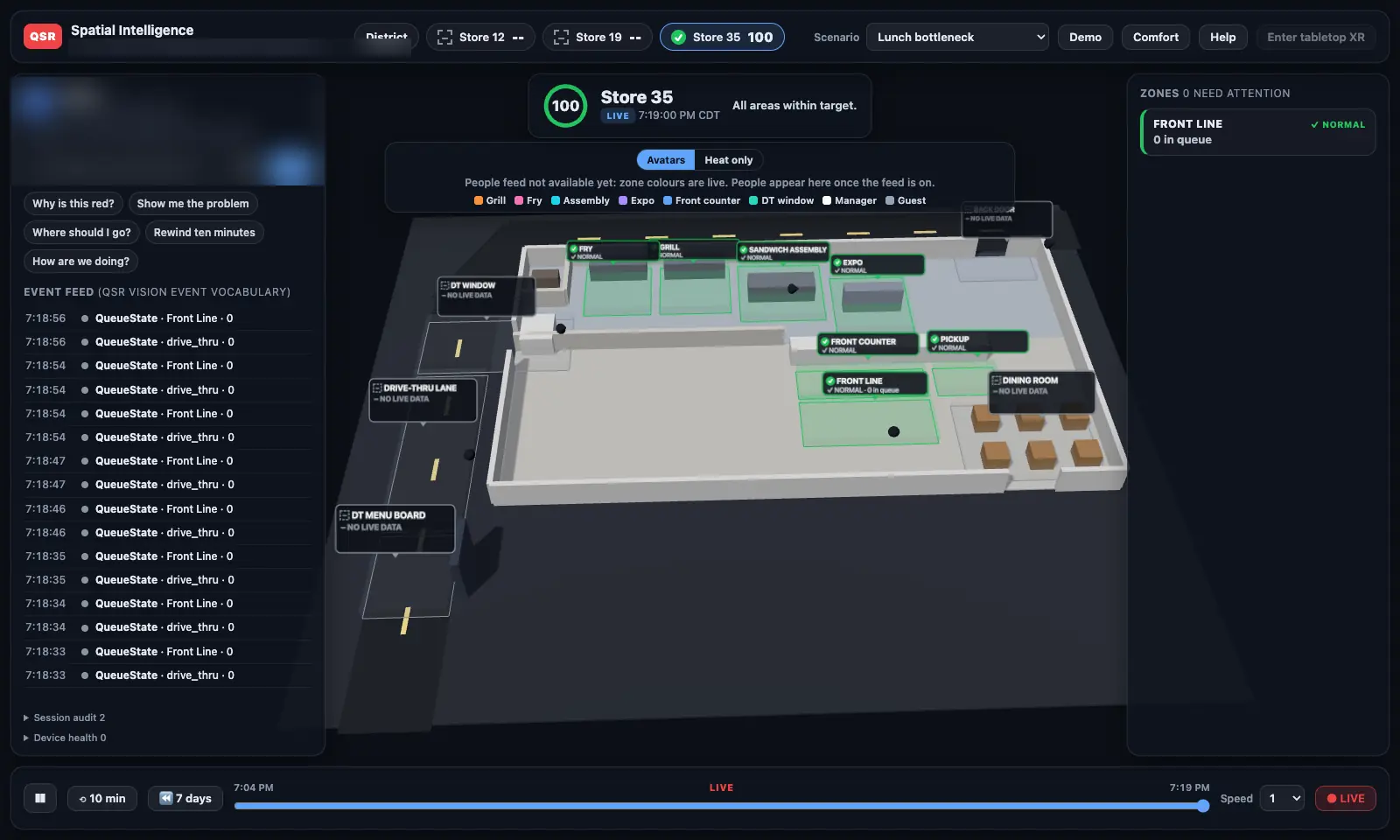
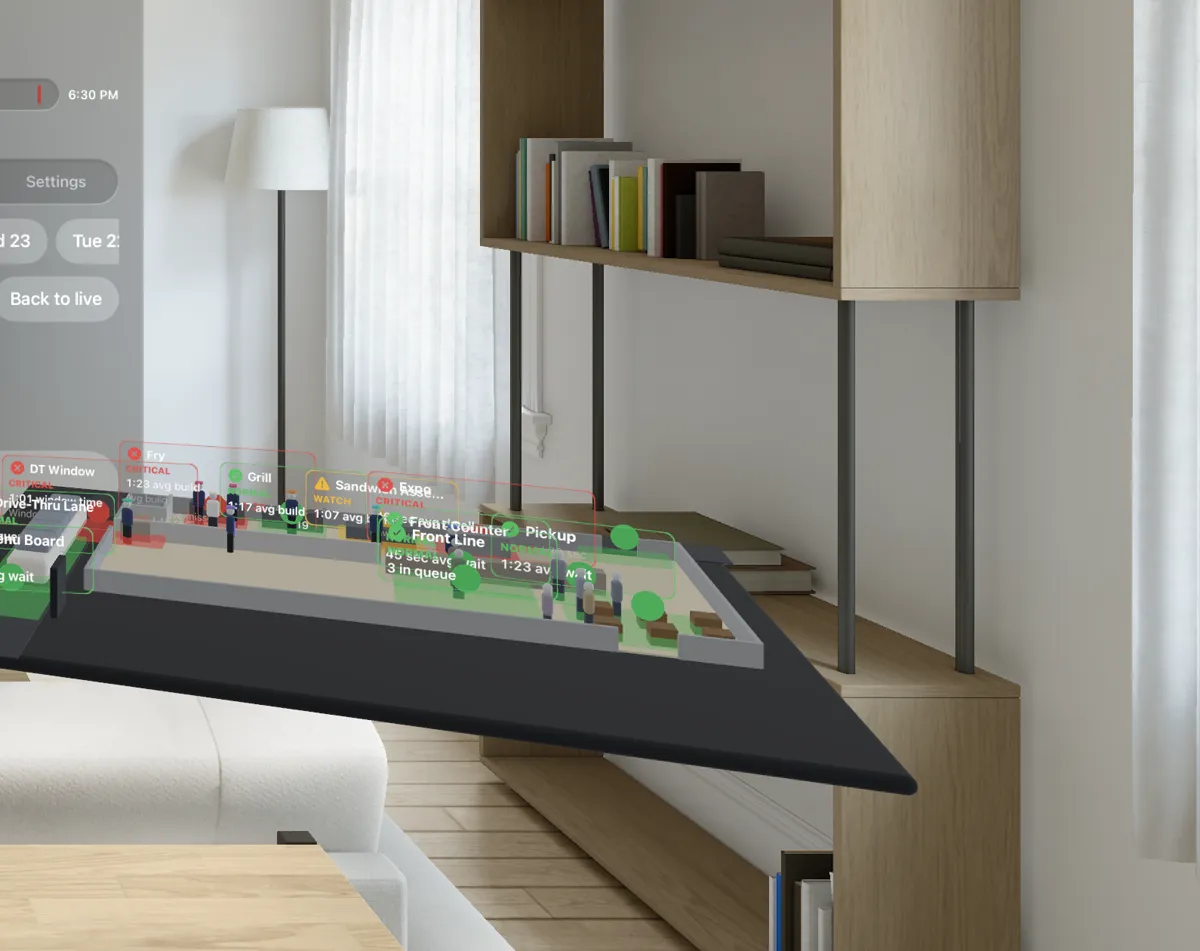
Sit in your living room, pull up any store you run, and set a table-size 3-D model of it in front of you. Every person in the building appears as a faceless avatar in the area where they are, live. Every station shows green, yellow, or red. Rewind the last 7 days. Ask why something went wrong, and get the answer from what actually happened.
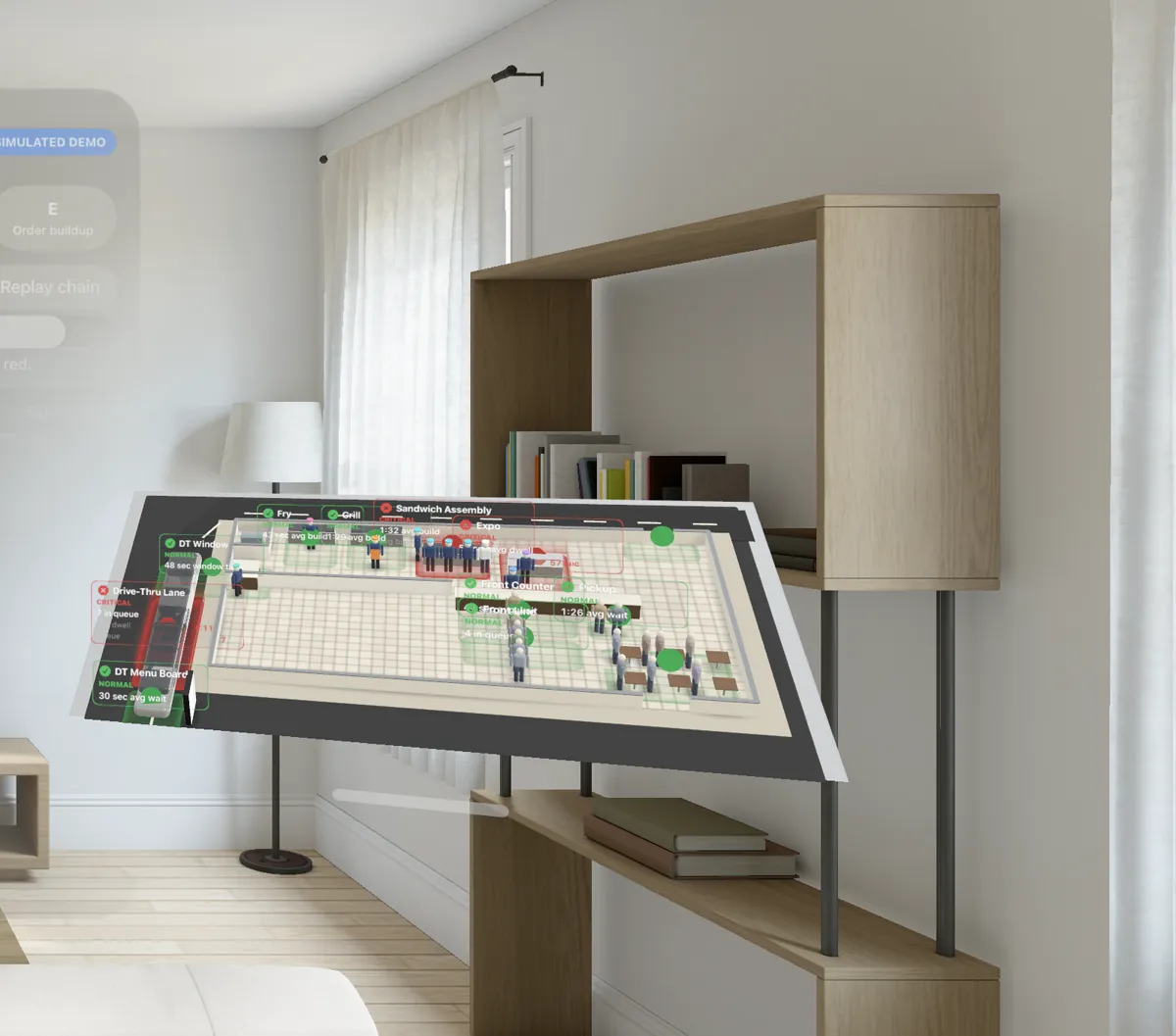
A district manager can't stand in twelve kitchens at once, and twelve grids of camera feeds don't tell you much either. Heliarch turns those feeds into one thing you can read in a glance: the store itself, alive, from above.
From a ceiling camera to a figure on your table, in seconds.
The heavy lifting happens on a QSR Vision box inside the store. What leaves the store is a stream of anonymous events, not video.
- 1 · Cameras
What's already there
The store's existing security cameras are the input. No special hardware on the people.
In the store - 2 · Vision box
People become dots
On-site AI finds each person and places them on the floor plan. Roles come from the station they're working, not from who they are.
In the store - 3 · Events
Anonymous, timestamped
Positions, queues, waits, and station timing, with anonymous IDs (on pilot boxes they change at least every 5 minutes). No faces, no names, no video.
Leaves the store - 4 · Store state
One record of truth
Each zone is scored against your targets. The same record feeds the live view, the replay, and every answer.
Secure cloud - 5 · Your device
The 3-D store
Your headset or browser draws the store and its avatars. It never receives camera video.
Wherever you are
The whole restaurant, inside and out.
Dining room, front counter, kitchen stations, drive-thru lane, and the lot, all as one model. Zoom from the whole building down to a single station.
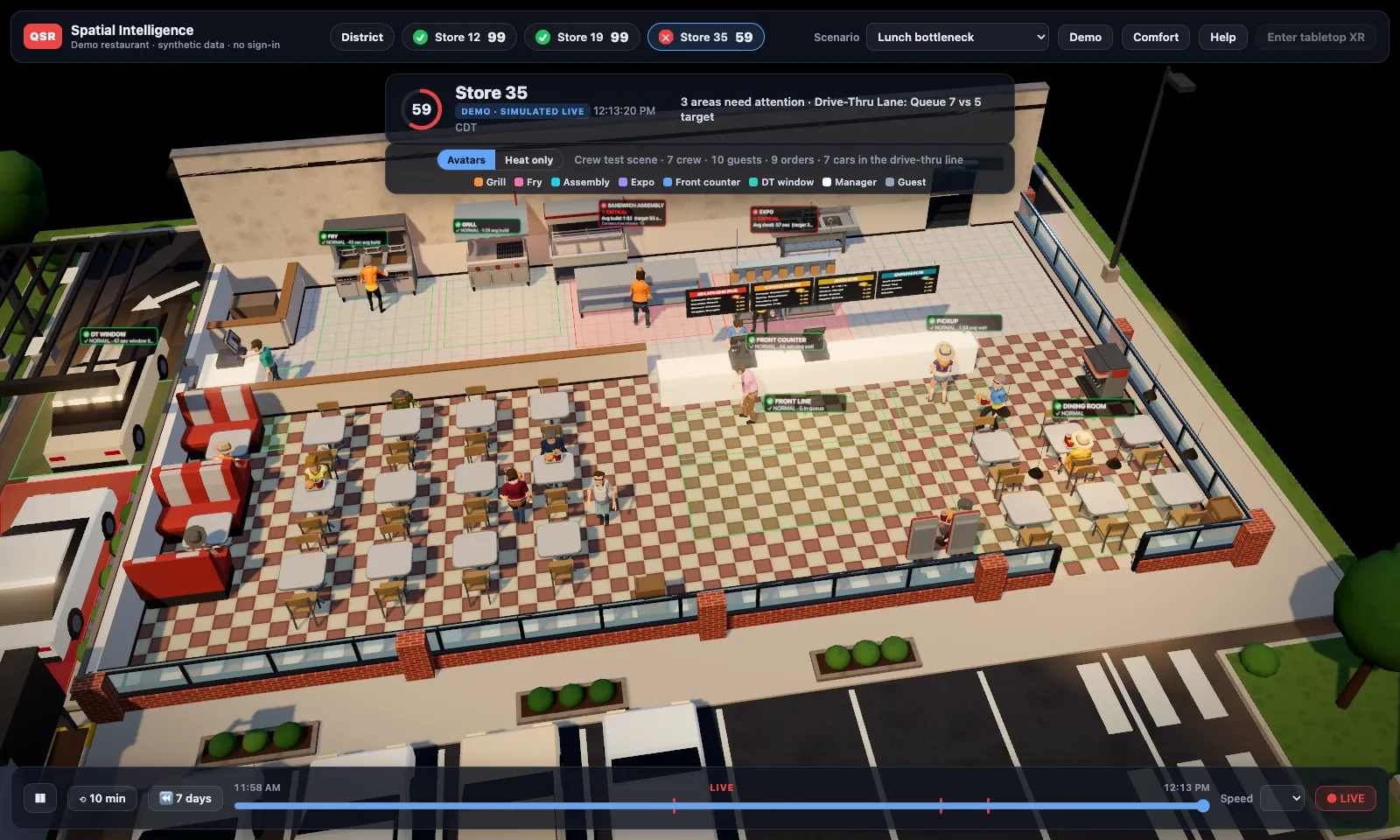
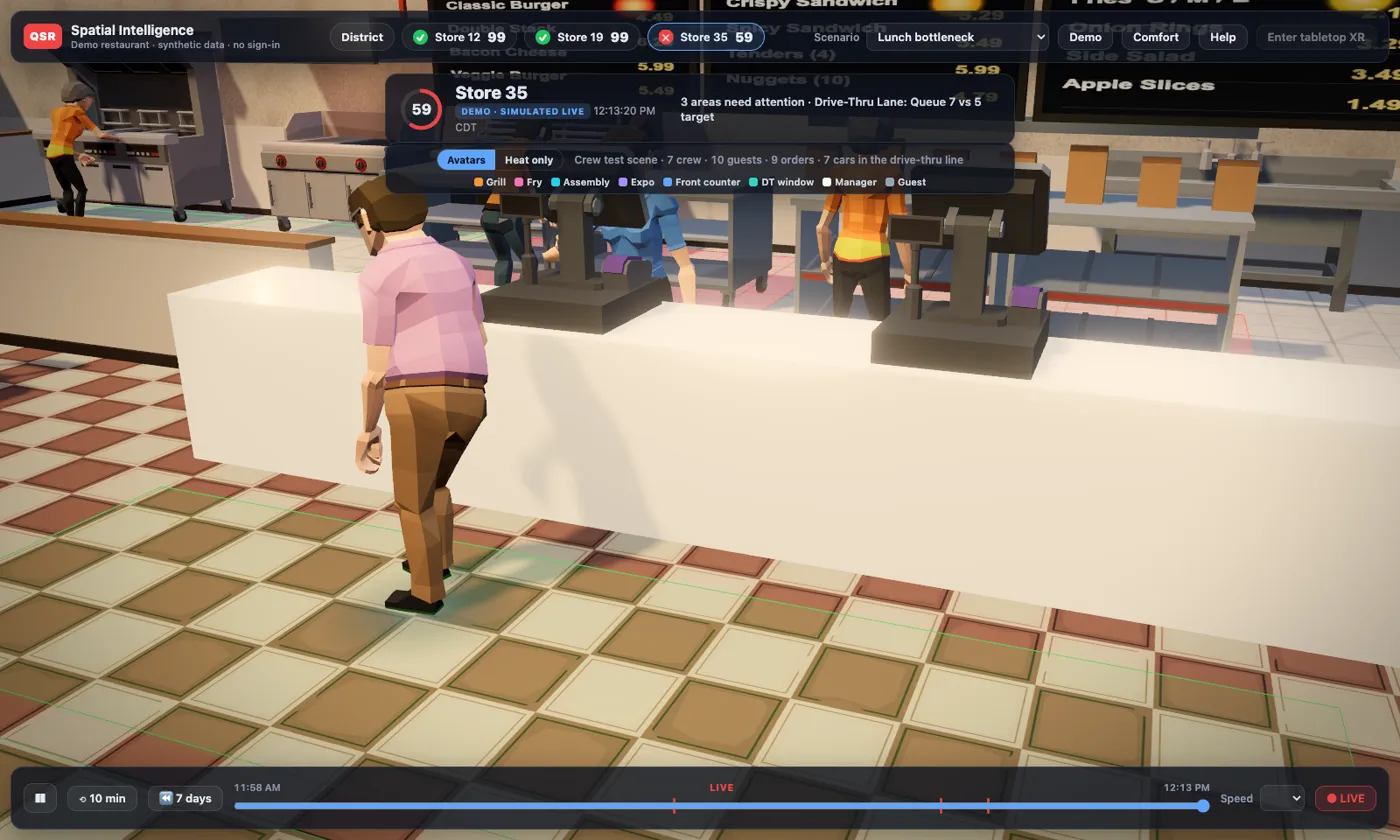
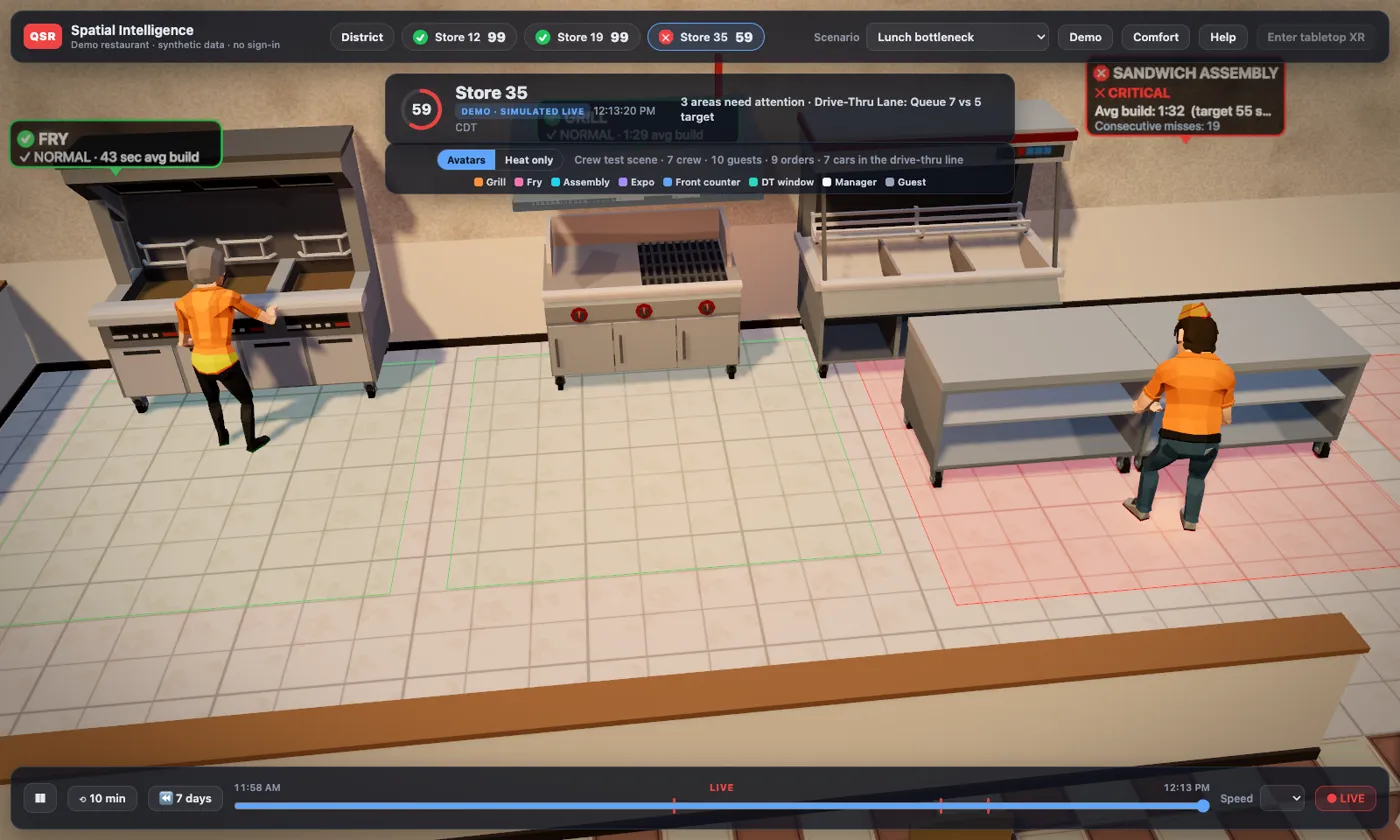
Walk around the store.
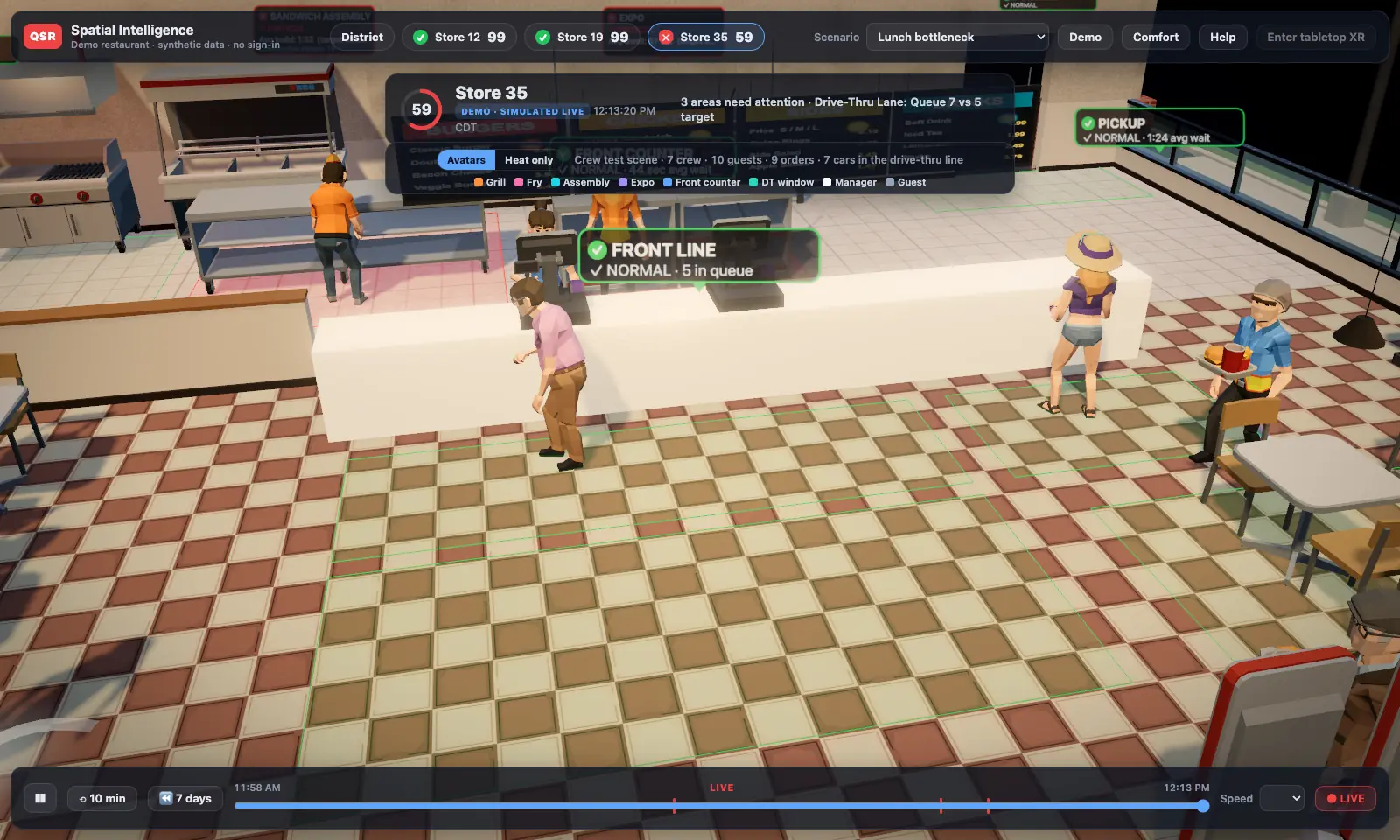
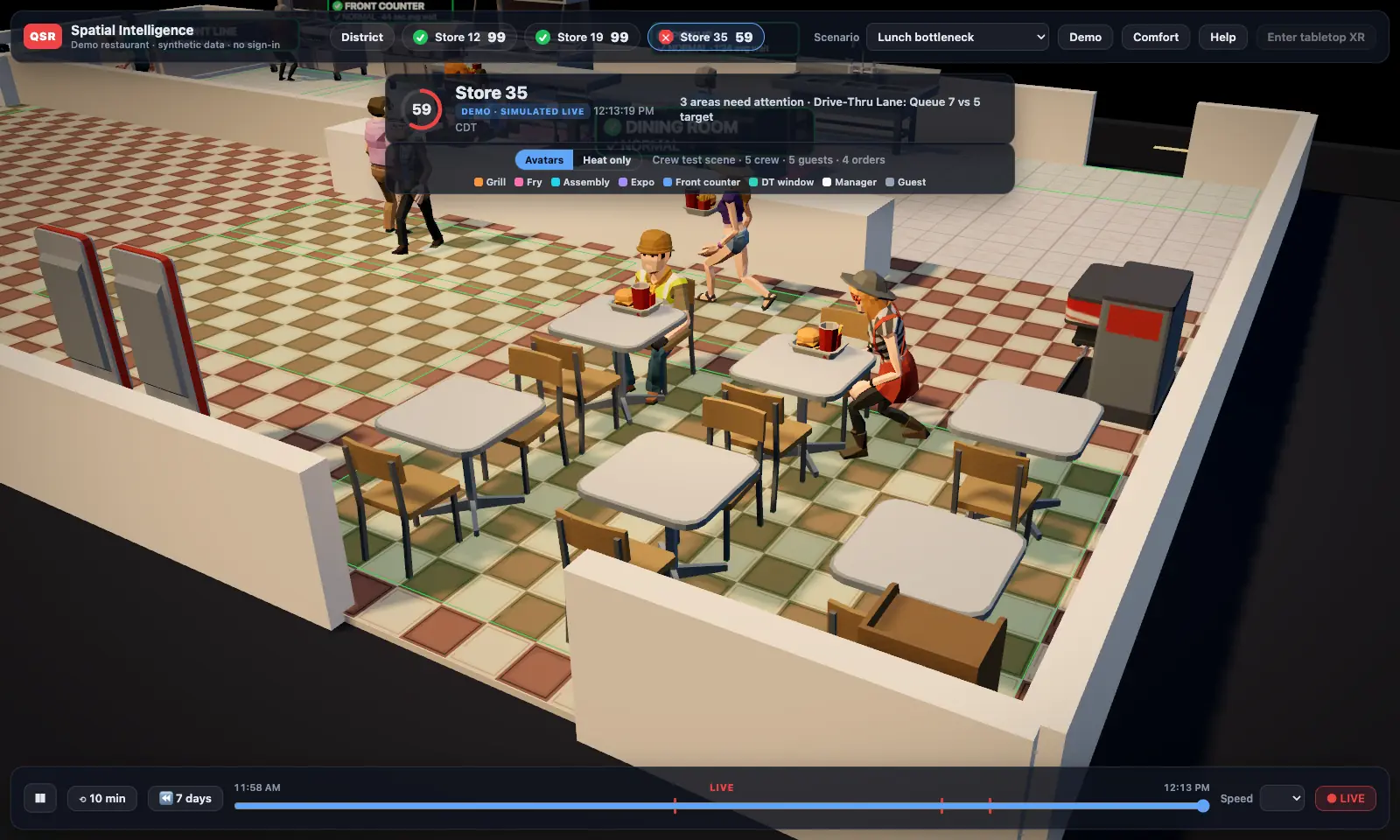
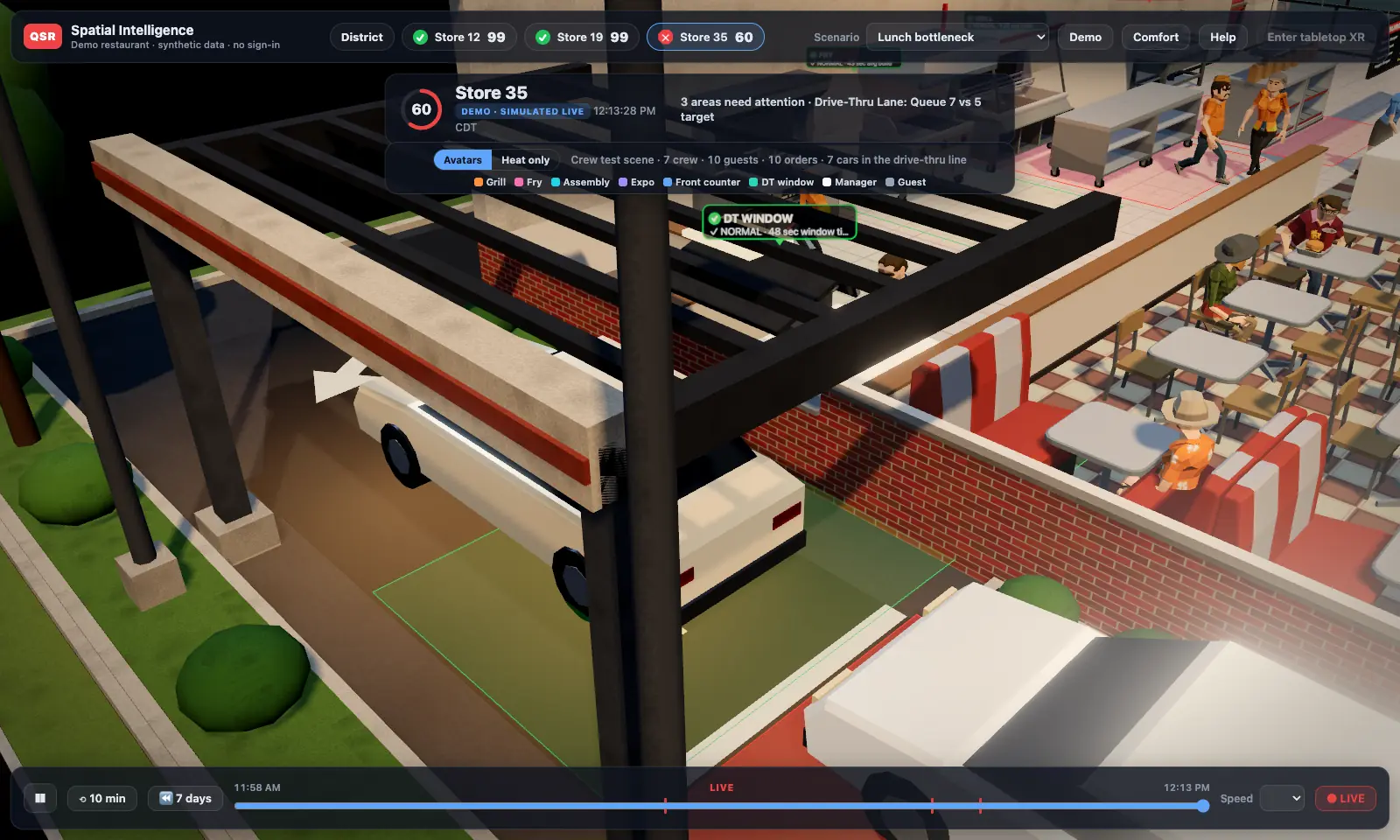
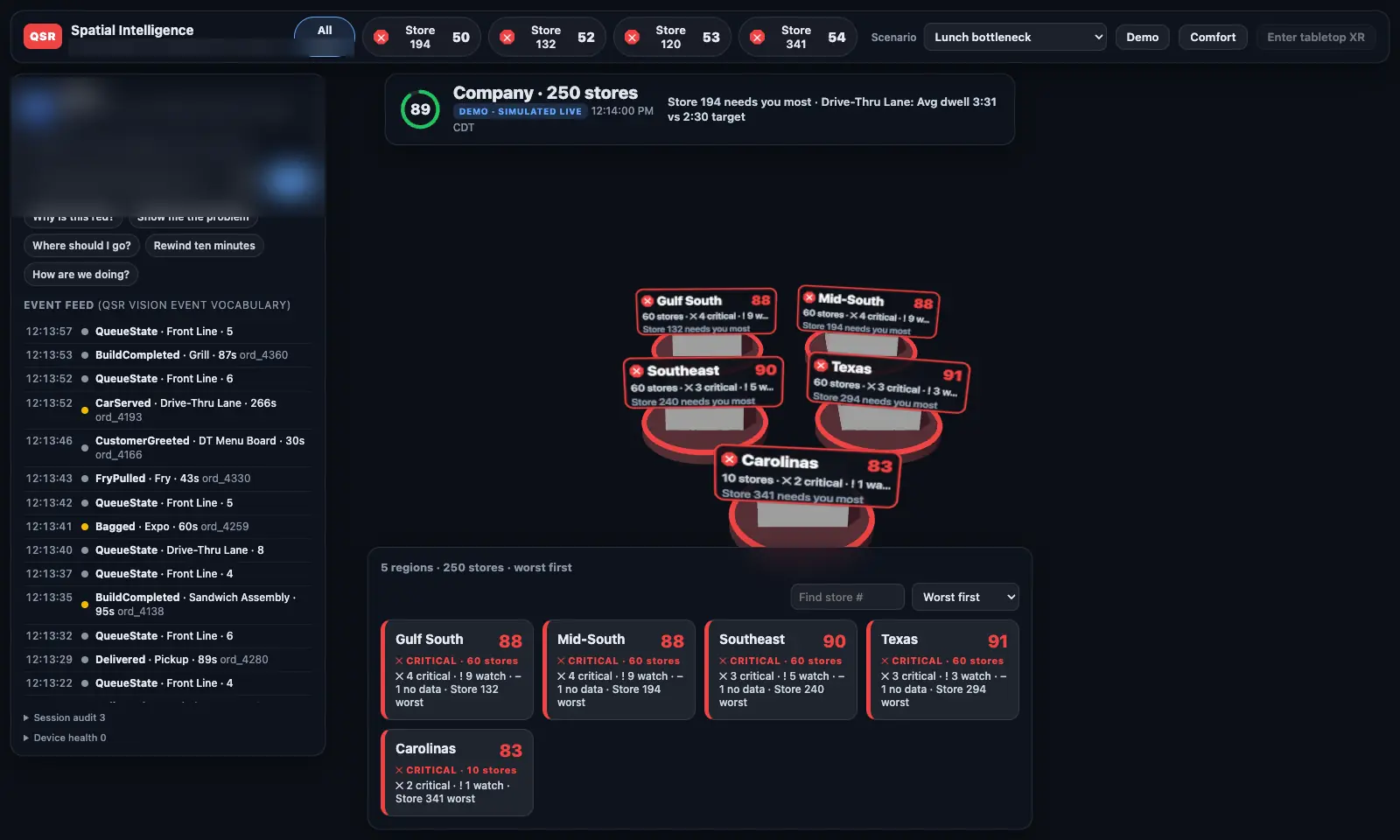
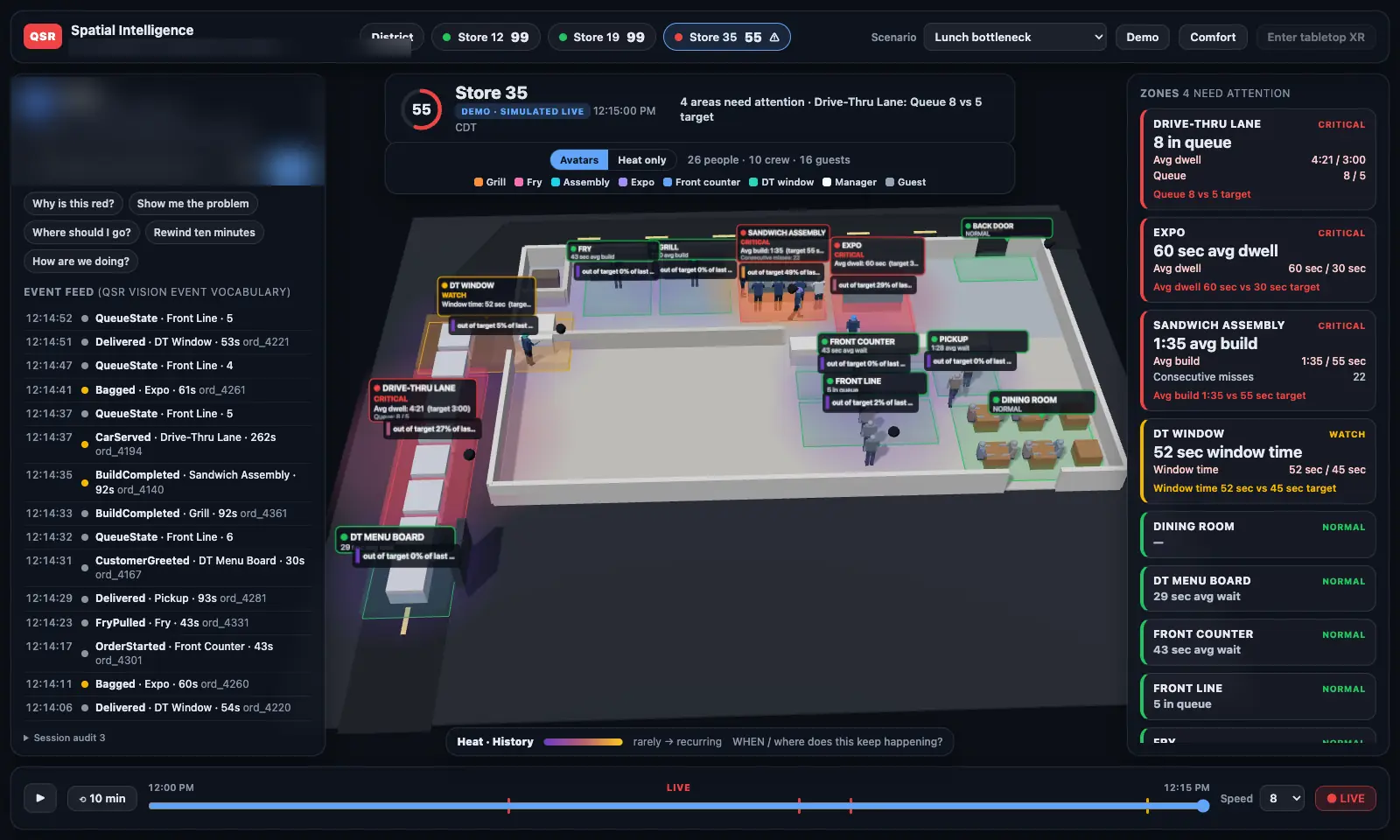
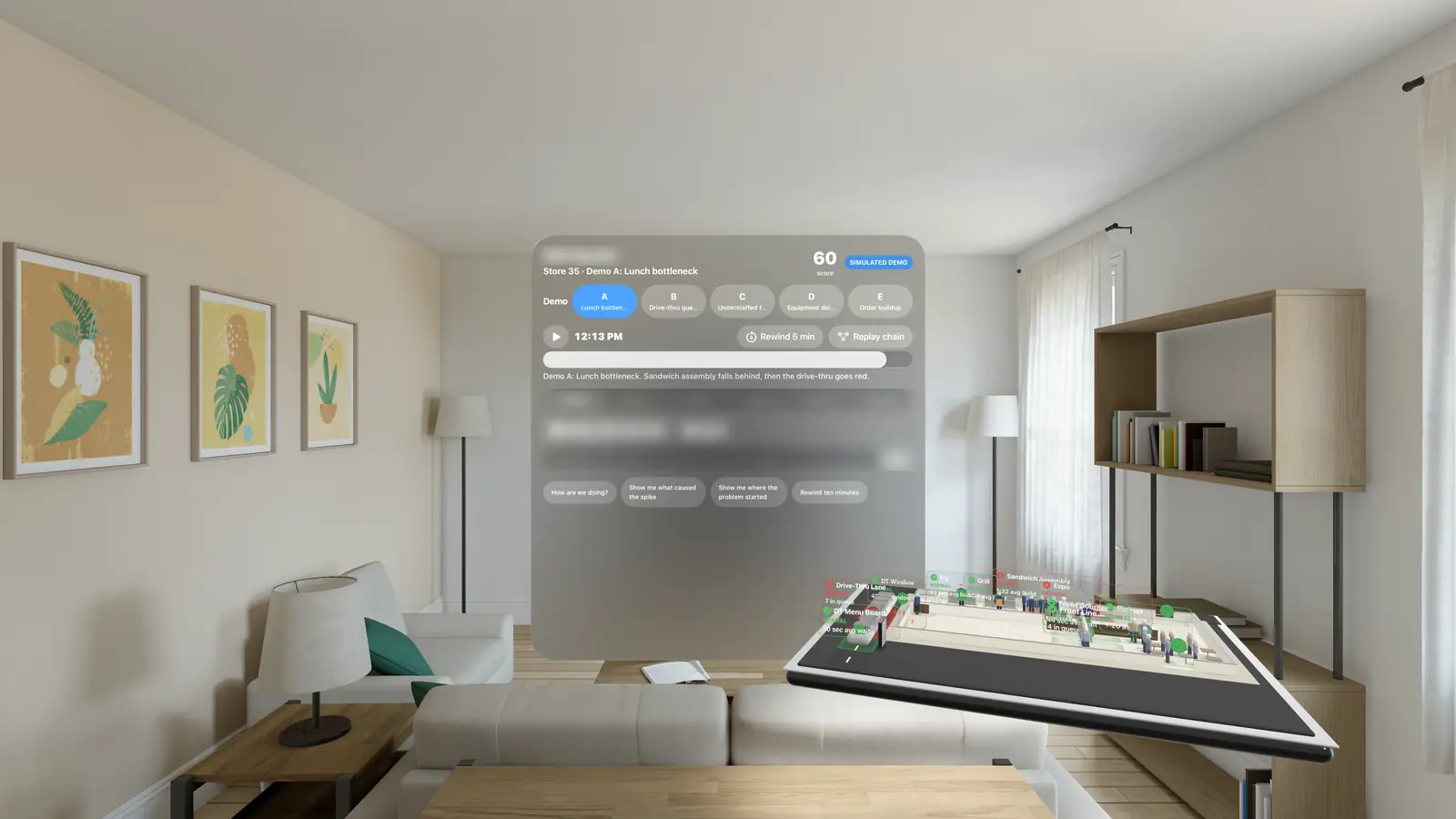
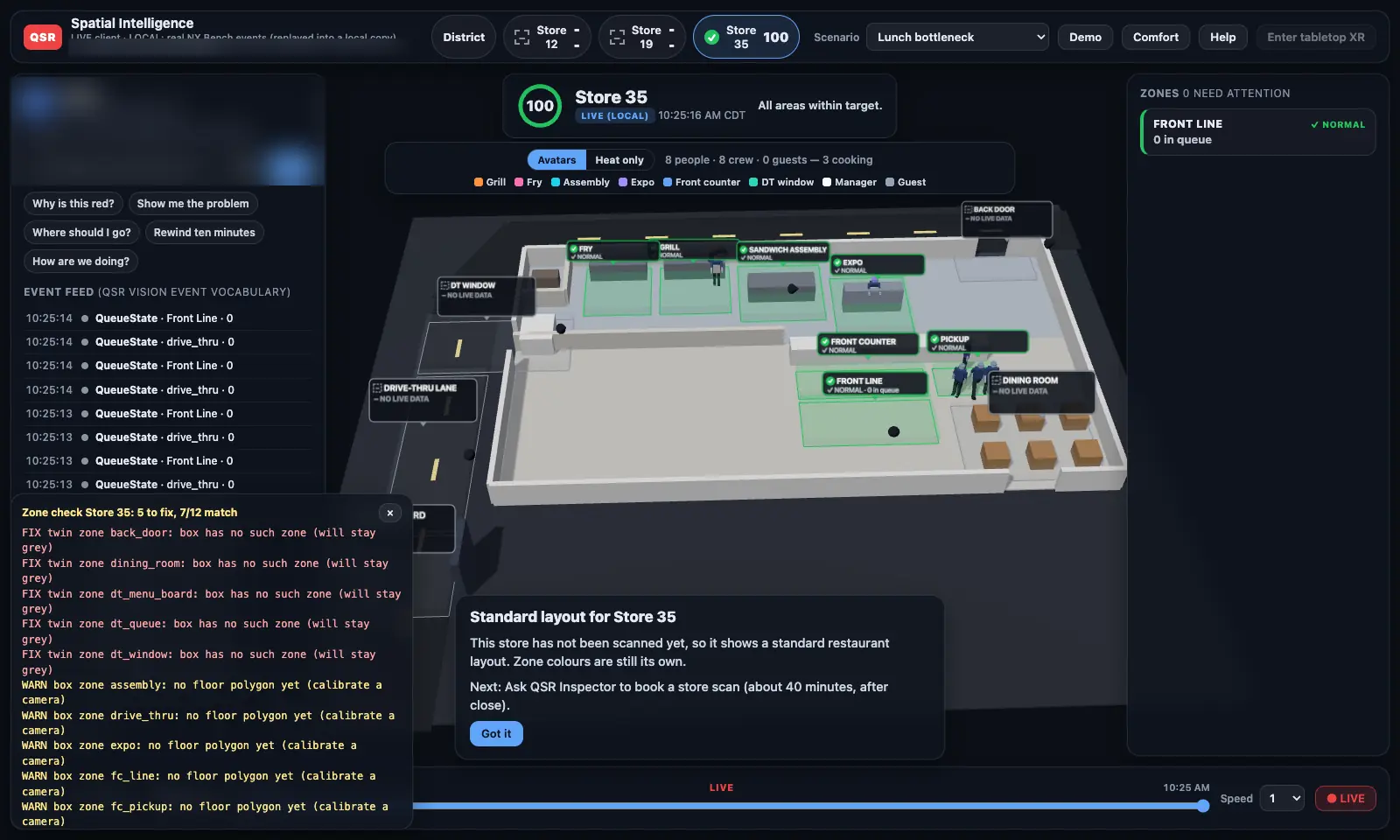
Unless marked otherwise, media in this section is the demo store with simulated activity in a desktop browser, October 7–8, 2026. Today's look is stylized; photo-real models built from scans of each actual store are next on the roadmap.
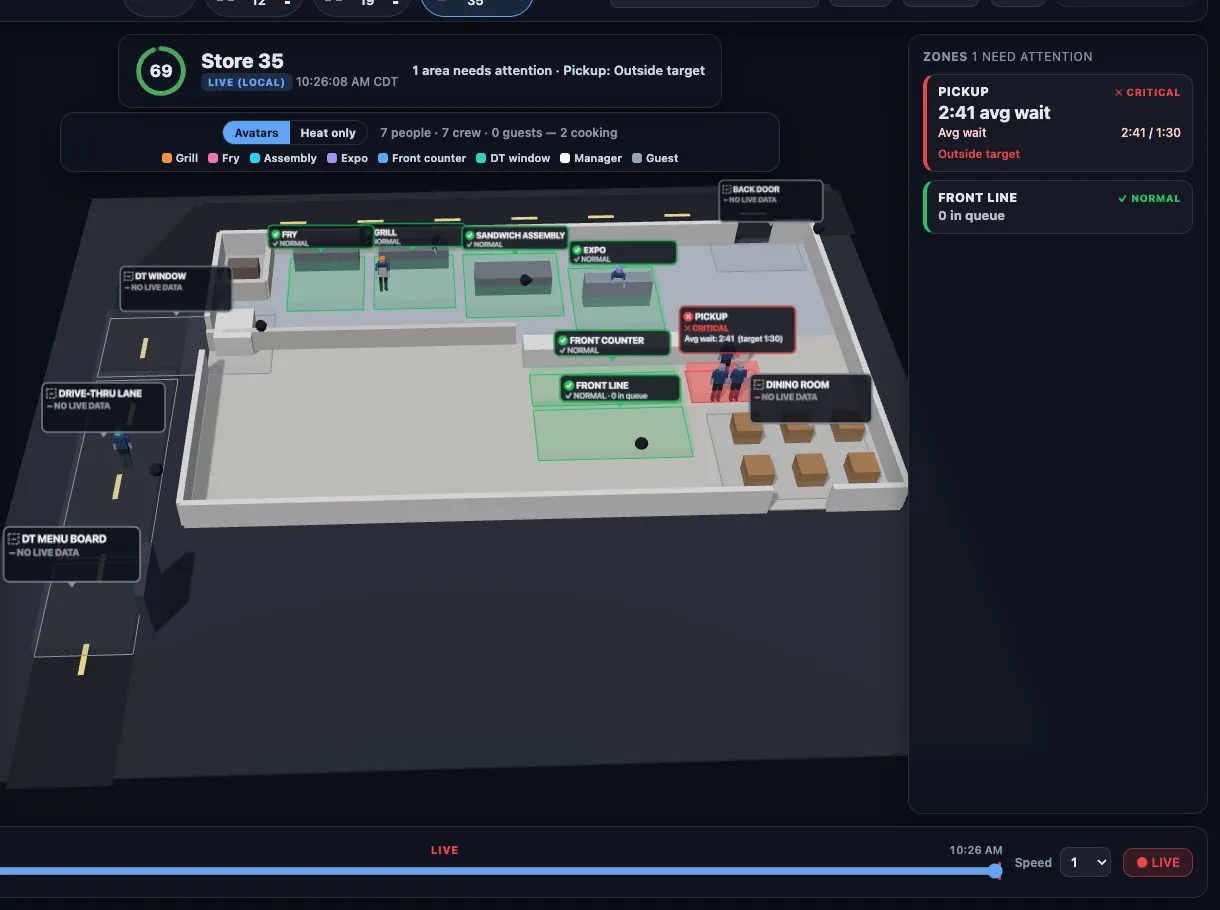
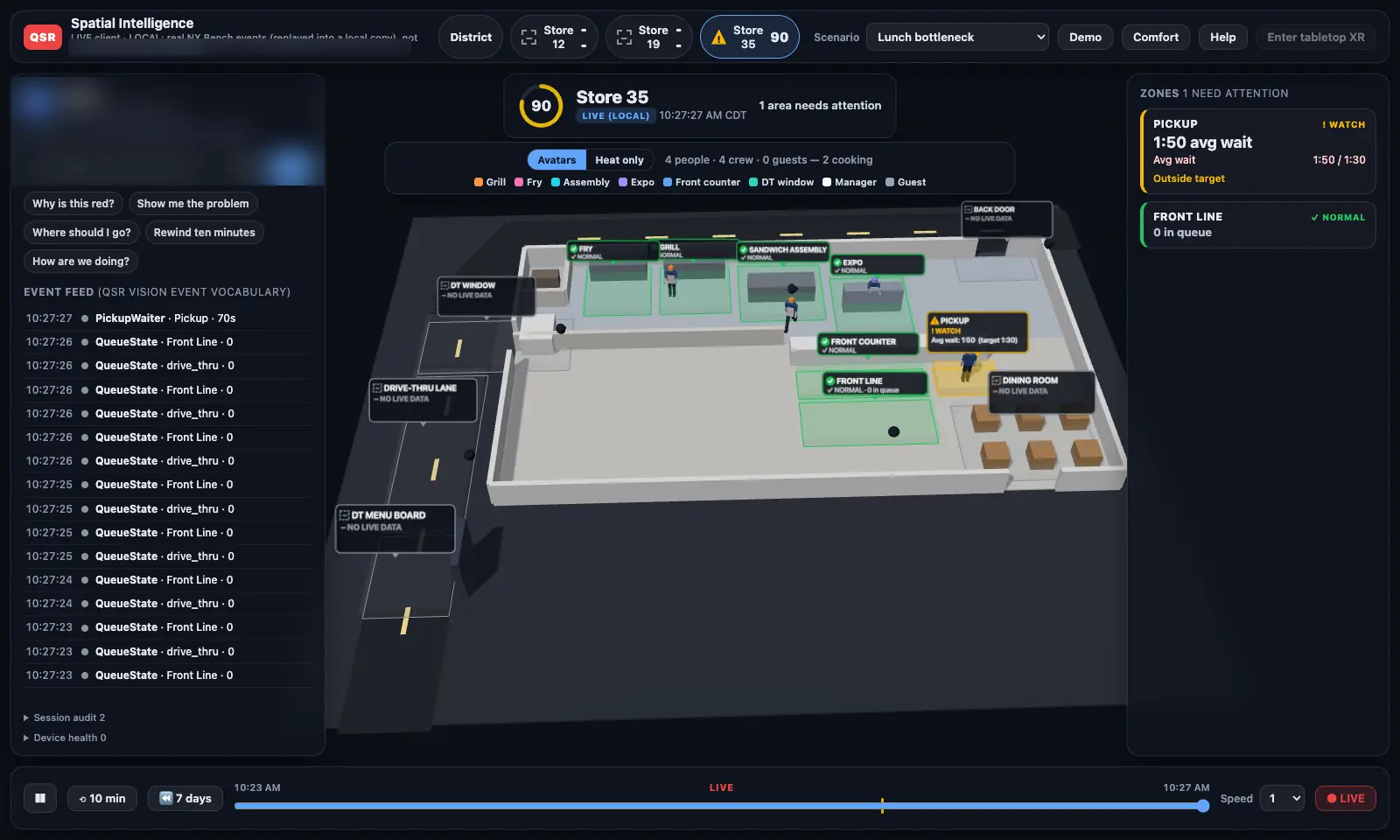
Real waits turned the pickup zone red, then yellow, then red again.
On October 8, 2026 we ran the whole chain on real events from our camera test bench: cameras → Vision box → cloud → 3-D model. When a real customer waited too long at pickup, the zone turned red on screen in about 2.3 seconds (median, end to end).
The live store-status service that every 3-D view reads from went into production the same day.
Rewind the week. Find the moment. Know the cause.
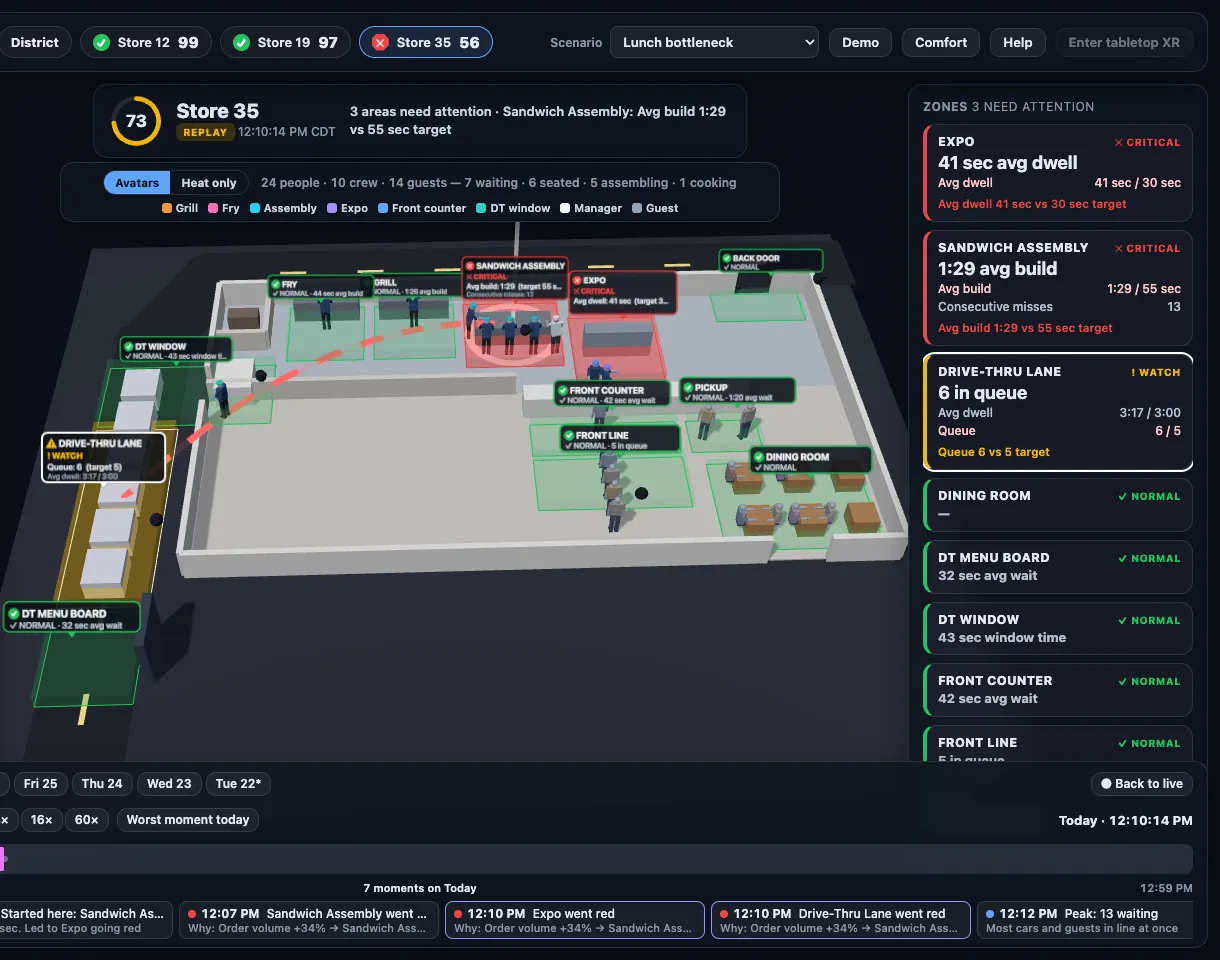
- Seven days, zone by zone. Replay any part of the last week, zone by zone (people replay coming soon). The raw anonymous position data behind it is kept up to 30 days, then deleted automatically.
- Day, hour, or 15-minute zoom, played at 1× to 60× speed.
- “Worst moment” jumps straight to the reddest minute of the day.
- Ask “why is this red?” by voice or tap. An AI assistant answers with what happened, since when, the likely upstream cause, and the order volume, all from the same events you can watch.
- District view. All your stores at once, worst first. Step into any one of them.
- What
- 8 cars against a 5-car target; 4:19 average against 3:00.
- Since
- 12:09 PM, when the queue reached 6.
- Likely cause
- Sandwich assembly: 1:33 average build vs. 55 s target, 20 orders in a row over.
- Volume
- Orders up about 34% at noon.
Example from the lunch-rush demo scenario (simulated data).
One store model. Every screen you'd want it on.
Meta Quest 3S
Runs in the headset's web browser, nothing to install. Color passthrough puts the store on your real table; point and pinch with your hands.
Apple Vision Pro
A native app with the premium look: the store on your table or floating in the room, the 7-day replay with people, and the district view.
Ray-Ban Meta glasses
Voice-first and hands-free. Built on Meta's wearables toolkit and in internal testing.
Meta's display glasses & desktop
Meta's display glasses are a target platform. And no headset is required at all: the same experience runs in a regular desktop browser today.
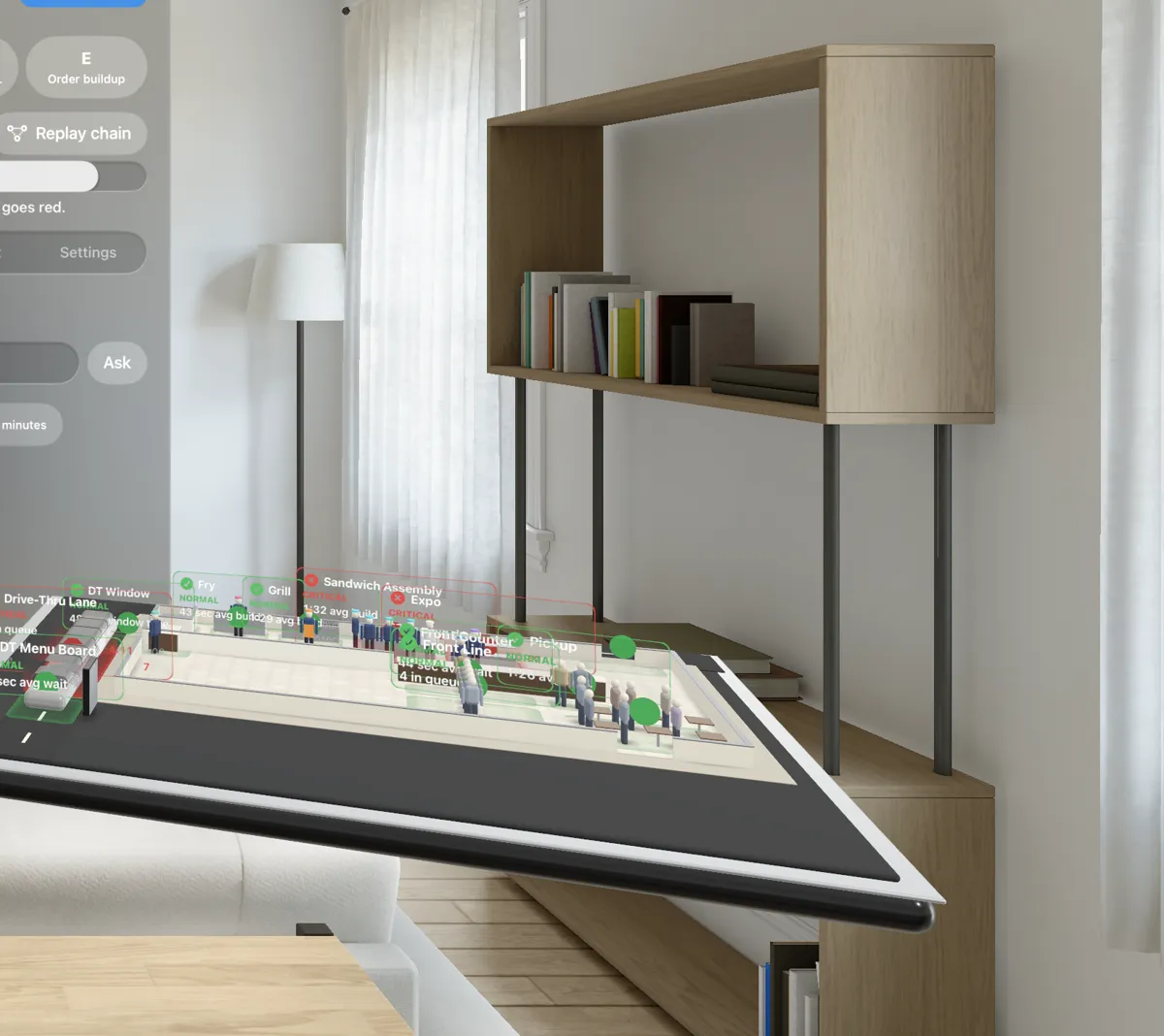
Meta Quest, Ray-Ban Meta, and Apple Vision Pro are trademarks of their owners. QSR Inspector is not affiliated with or endorsed by Meta or Apple.
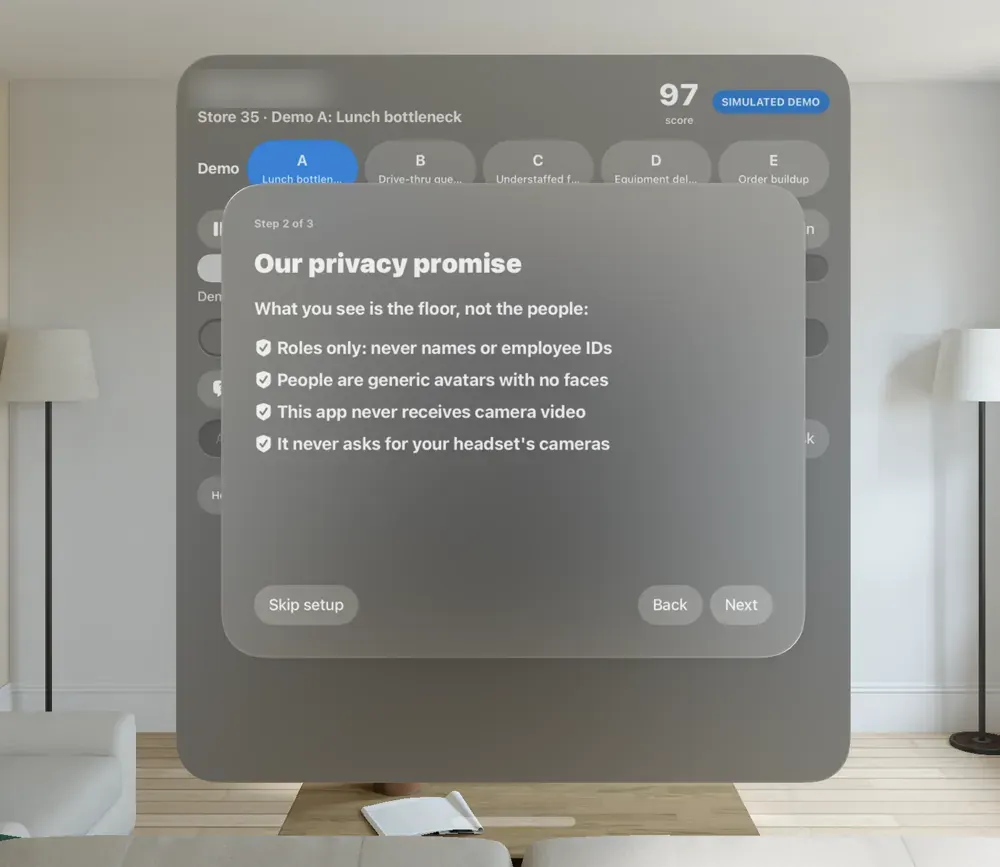
You see the floor, not the people.
Privacy isn't a setting we added later. It's how the system is built, and it's the first thing the app shows you.
No faces. No face recognition.
Everyone is a generic avatar, and nothing in the system tries to identify who a person is.
Roles, never names
An avatar is “grill” or “front counter” because of where they're working, never a name or employee ID.
Anonymous IDs that change (pilot boxes)
On pilot boxes (the release we're testing now, coming with the pilot), a person's anonymous ID changes at least every 5 minutes and whenever tracking is lost, so a figure can't be followed into a profile over days.
No video in the 3-D view
The headset or browser receives positions and events only, and never asks for your headset's cameras.
A 30-day limit
Raw anonymous position data is kept up to 30 days, then deleted automatically. Replay shows the last 7 days. Stores can also run in “heat only” mode with no figures at all.
Walter looks only when asked
Walter only looks at a picture when you ask him to: one photo or screenshot at a time, never video or audio, and nothing is kept running.
Exactly where each piece stands.
As of October 8, 2026.
Live 3-D store from real camera events
Proven end to end on our camera test bench; store-status service in production.
Avatars, zones, 7-day replay, district view
Desktop browser and Meta Quest 3S; Vision Pro build in development.
“Why is this red?”
Answers built from the store's events, working in the demo; connecting to live stores during the pilot.
Photo-real store from a phone scan
The scan-based look is prototyped; real store scans start with the pilot.
Real restaurants
A first multi-store pilot with a multi-unit franchise operator is being planned.
Display glasses
Lighter, everyday glasses as those platforms reach the market.
Straight answers
Do I need a headset?
No. The same 3-D store, replay, and answers run in a regular desktop browser. A headset makes it feel like the store is on your table.
Does it need new cameras?
It starts with the cameras a store already has, through a QSR Vision box. More camera coverage means more of the floor shows up in 3-D; areas no camera can see show grey, never a fake “green”.
Can I see who someone is?
No. Everyone is a faceless, generic avatar labeled by role. There's no face recognition and no names or employee IDs in the 3-D view.
Does video go to the headset or the cloud?
The 3-D view never receives video, only anonymous positions and events produced by the Vision box in the store.
How realistic does it look?
Today it's a clean, stylized model with real store layouts. Photo-real models built from phone scans of each actual store are next on the roadmap.
Can I buy it today?
Heliarch is in pilot and not sold separately yet. QSR Vision is available now; see pricing. If you run multiple stores and want to be part of a pilot, talk to us.
Is it patented?
Patent pending: two U.S. provisional patent applications were filed in October 2026.
Want your stores on the table?
We're lining up pilot operators now. Tell us how many stores you run and what you'd want to see first.